How to fix Motorola android pin lock not working (correct pin entered)?
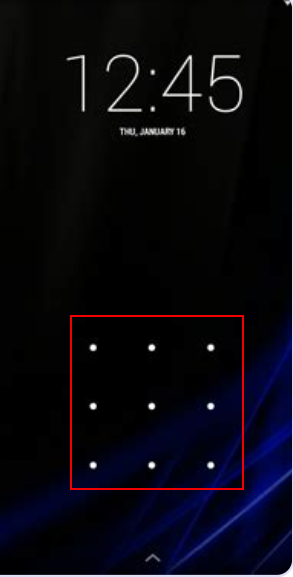
❌ What’s the problem?
One day my phone stopped recognising my pin for the lock screen (even though it was correct). This was really frustrating because I couldn’t access my phone.
- Powering off to restart had to go through the lock screen (for additional security) = stuck!
- Did I enter my pin correctly? Yes, I checked my old phone and the pin worked. I’ve also stored my pin in a password safe so I don’t forget it next time
- I didn’t want to factory reset my phone, as I haven’t backed it up. This will be last resort
- The solution = restart the phone, somehow bypassing the lock screen. The pin on lock screen has somehow got corrupted and not recognised, so hoping a restart will recognise the pin and fix the problem = FIXED! (thankfully this worked!)
✅ What’s the fix?
2 ways of fixing
- Method 1: Hold down power button for ~ 10 seconds = phone restarts, you see Motorola icon. Profit!
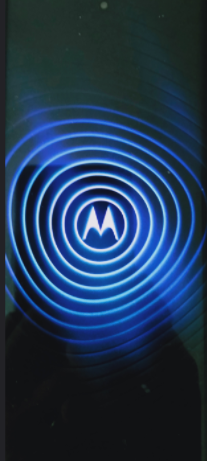
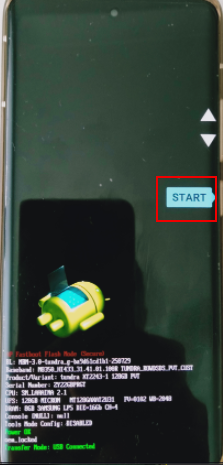
- Method 2: Hold down volume + power buttons together ~ 10 seconds = android OEM screen appears,
with list of options pressing volume up or down key = press power button on the option that you want.
- start (initial option)
- restart bootloader
- recovery mode
- power off
- bootloader logs
- barcodes
Useful internet pages
- Reddit: correct pin not working
- Youtube: motorola pin not accepted by HartReset.info 4m 59s
- Youtube: how to fix pin unlock not working on android (solved)? by Coolmuster 2m 56s
- Youtube: how do you reset motorola phone that is locked and won’t turn off? by Jason Clements 2m 25s
Factory reset
If above doesn’t work, the last resort is to factory reset your phone. But you’ll lose all your data that is not backed up. You can factory reset your phone by login into your Google account, or you can use above methods to factory reset your phone directly
- Login to Google account -> Devices -> pick android phone -> find device
- play sound
- mark as lost
- factory reset device