Using Anki to improve my vocabulary
1. How Anki is useful?
2. How to use Anki?
3. Challenges creating Anki cards + fix
4. How this came about?
What is Anki?

✅ Anki is a free flash card app that you can use to improve learning and memory retention.
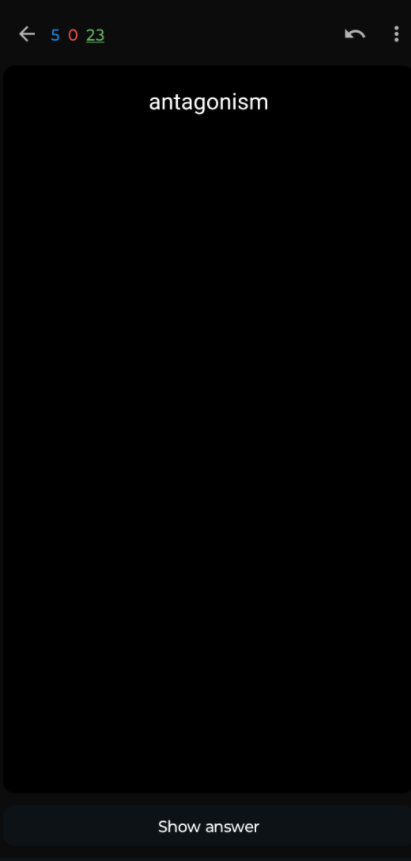 |
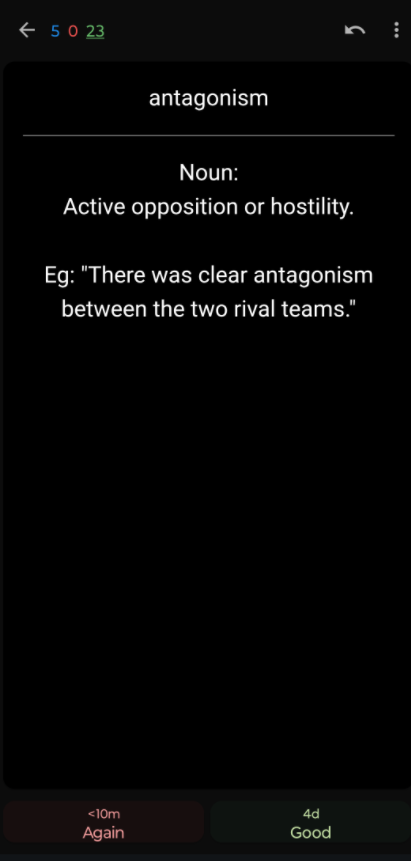 |
|---|
✅ You can use it for vocabulary, languages, studying various subjects, etc.
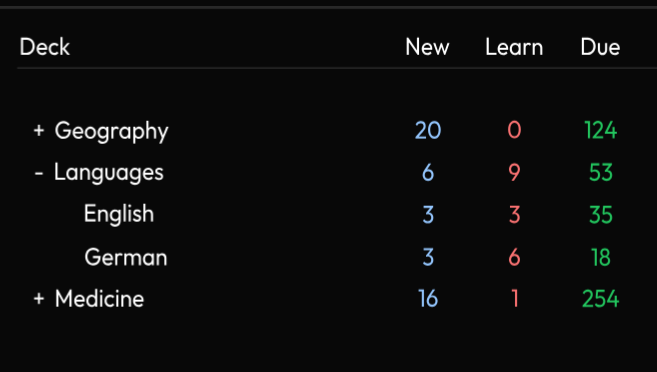
There are lots of youtube videos of medical students using it to study medicine. Looks pretty useful!
Wikipedia: what is anki (software)?
For language learning, you can use other people’s decks (flash cards), so you don’t have to create your own.
Anki is awesome! You can use it on your computer, mobile phone and everything is synchronised via the web. I use the computer to input my cards, then the mobile phone to review my cards.
How Anki is useful?
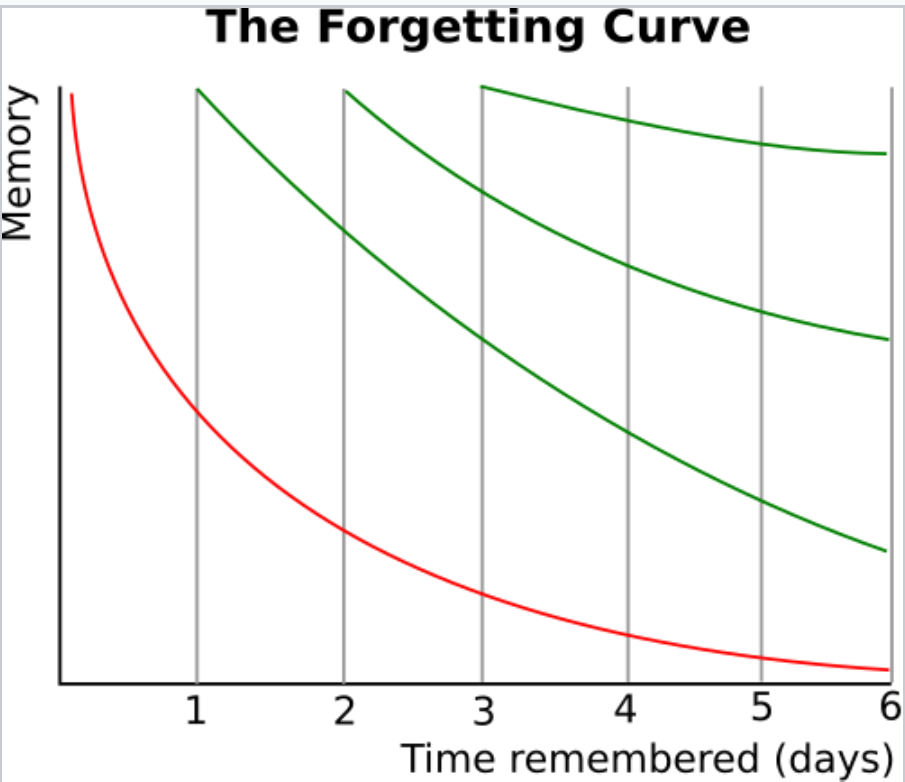
Spaced Repetition
✅ Anki uses spaced repetition.
❌ If you look at the forgetting curve, you’ll forget most thinks you learn after 6 days.
Spaced repetition is a technique where you revise things regularly to improve your retention. And its spaced, because you revise things more often if you don’t know them, vs things less often (spaced out) when you know them well.

Eg intervals pressing the Good button (card you’ll see again if you get it right)
- 1 day
- 3 days
- 1 week
- 1 month
- 3 months
- either don’t see it for few years, or you’ll forget it and interval resets
Understanding spaced repetition - beginners guide
This is the main reason why Anki is so effective. I’ve introduced this to a few people and they absolutely love it, wanting to do the vocabulary revisions daily to improve vocabulary.
There is satisfaction when you see improvement from the statistics. Like how Young (light green) and Mature (dark green) cards grow over time and the New (blue) cards shrink.
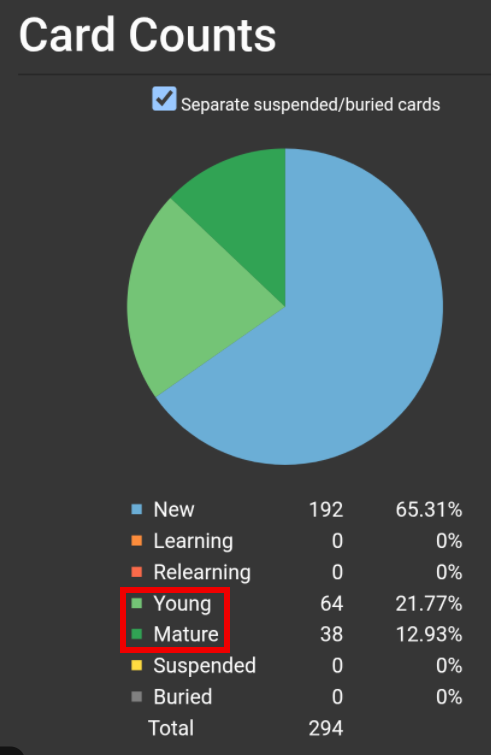
You can create lots of Anki decks for different things you want to learn, like a new language, etc.
There are other apps to learn vocabulary = Reji vs Anki vs Quizlet, if you would like to compare some apps?
How to use Anki?
How to setup Anki = by Refold, 6m 28s.
- good initial setup and add-ons
- better to configure only 2 buttons
- ✅ use good or again button
- ❌ don’t use easy or hard buttons = mess up stats & can cause big deviations on card scheduling
- Tools -> Add-ons -> Get Add-ons = enter code
- Heatmap: 1771074083
- Pass/fail: 876946123
- More stats: 738807903
How to configure 2 buttons on mobile instead of 4
- Anki settings -> accessibility = show large answer buttons (show answer button in 2 rows)
- use bottom 2 = Again, Good
- ignore top 2 = Hard, Easy
- settings -> new study screen -> check new study screen -> at bottom “Answer buttons” = check “Hide ‘hard’ and ’easy buttons’”
How to use Anki for beginners = by Break Out and Speak!, 13m 47s
- good Anki tutorial for language learning
How to use Anki like a pro = by TheMDJourney, 21m 23s
- Doctor that uses Anki to improve his grades & memory retention
- good tips on how to make flash cards quickly
Using Anki to double your vocab = by Trenton, 18m 27s
- inspirational guy learning japanese using Anki
- still need immersion method, Anki is not a substitute for language exposure
- still need to spend several hours a day with target language = immersion
- how to use Anki correctly for language learning?
- recommend learning 10 new words a day, so you’re not overwhelmed
- mining = learning 1,000 or 2,000 base words from pre made deck, then learn more words from your immersion
- 2 card types: 1. vocabulary 2. sentence
- sentence cards use i+1 (Stephen Krashen) concept, where you have a sentence and missing word (you want to learn), and the missing word makes you understand the whole sentence
- hard to find i+1 at the start, so mostly start with vocab cards
Anki vs Quizlet = by Koi, 8m 49s
Challenges of creating Anki cards + Fix!
One of the main problems was creating my Anki vocabulary cards. I could get somebody else’s deck, but I wanted my own words that I came across when I was reading.
Using someone else’s language deck seems ok, but I wanted my own vocabulary words that I didn’t know the meaning of.
I started doing my cards using dictionary definitions, but it was slow going.
Then I stumbled onto this inspirational youtube video: How to make Anki flash cards 10x faster with AI (for free) = by Ray Amjad, 10m 28s
- great tip on how to get AI to summarise a video for you
- so you can watch the video without making any notes (concerntrate on the video) and AI will summarise and make notes for you later
- nice AI example prompt
It was super inspiring so I also decided to use AI to make my own vocabulary cards
- Using a similar prompt, I asked AI to create word definitions for my list of words, with an example sentence
- Then I created a spreadsheet where I can export as Comma Separated Value (CSV) file that I can import into Anki
- I build the spreadsheet manually as I like newlines in my cards, and I haven’t figured out how to get AI to format newlines automatically
This fast tracks my card creation, allowing me to create hundreds of cards quickly
How this came about?
I recently bought an eBook reader and there was a word builder feature, but it wasn’t working correctly, so I thought I’d write my own word builder.
But hold on… there must already be an app for this, so doing an internet search, I happened to discover Anki
Apps where I can store my entire vocabulary
Sometimes I look up words in a dictionary, and sometimes I put the words I don’t know in a list. But I don’t usually review them, so I don’t remember the new words I’ve learnt.
Stumbling onto Anki was awesome, as the Spaced Repetition system helps me to remember vocabulary better.
Good deal = buying an eBook reader resulted in improving my vocabulary!